

How to sync your MyFundedPerps account with Tradervana
By Tyler Branstiter · Updated October 14, 2026 · 2 min read
Connecting MyFundedPerps pulls your trade history into Tradervana and keeps new trades flowing in automatically — no CSV exports, no manual entry. It uses MyFundedPerps' own developer API, so setup is a matter of creating a read-only key and pasting it in.
This integration is in beta. MyFundedPerps' API is itself in beta, and we're still verifying the sync against live accounts. If a symbol, fee or P&L looks off after your first sync, tell us and we'll get it dialed in quickly.
New to MyFundedPerps' rules? Read MyFundedPerps rules, explained first.
Before you start
- Broker sync is a Pro feature. On the free plan you can still import trades by hand; auto-sync needs Pro.
- You need a MyFundedPerps challenge account. MyFundedPerps is a separate platform from MyFundedFutures, so you sign in with your MyFundedPerps login.
Create a read-only API key
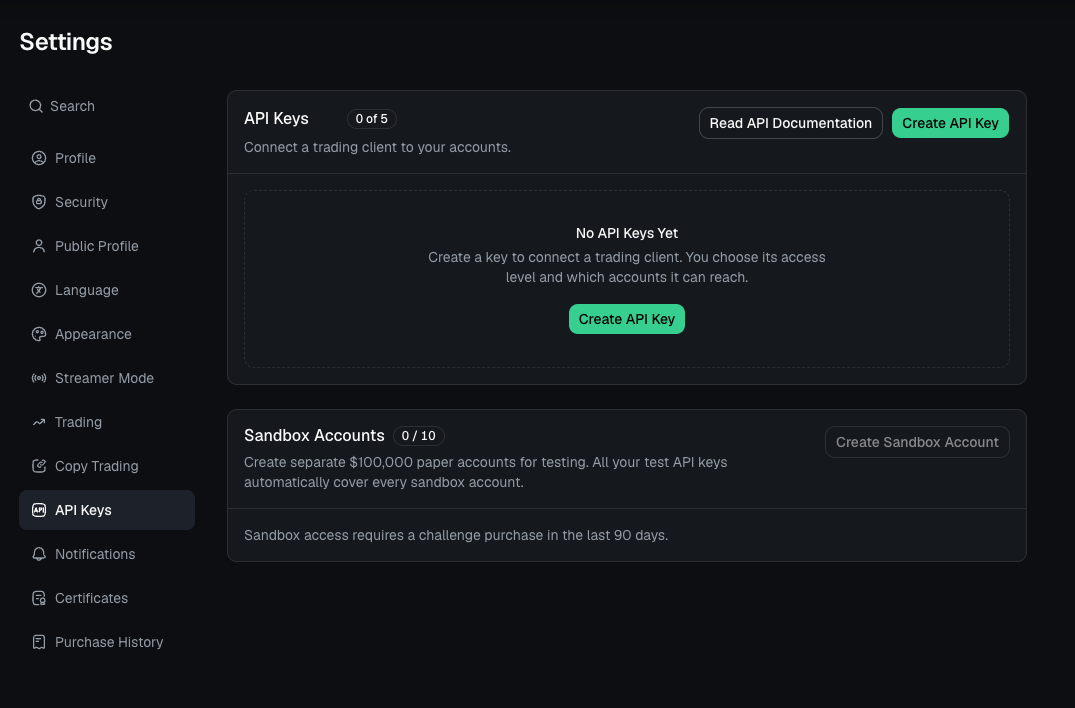
- Sign in to MyFundedPerps, click your profile name in the top right, and choose Settings.
- In the left menu choose API Keys, then select Create API Key.
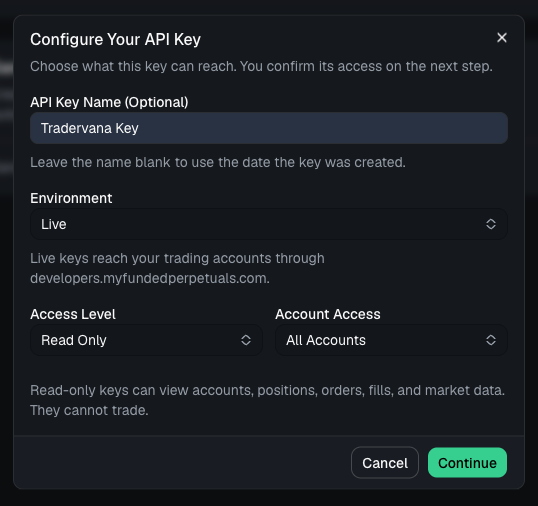
- Give it a name you'll recognise (for example "Tradervana").
- Set Environment to Live and Access Level to Read Only. Read-only keys can view accounts, positions, orders and fills. They cannot trade, and that's all Tradervana needs.
- Under Account Access, choose All Accounts, or pick a single account if you only want to sync one.
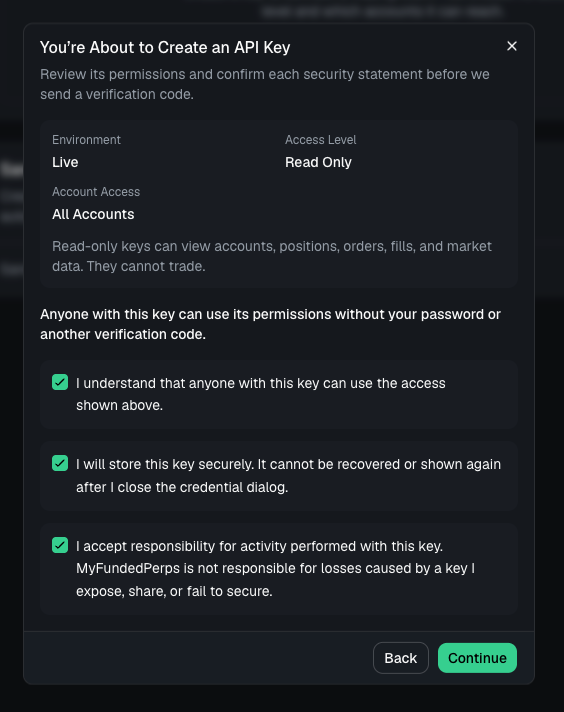
- Review the access and confirm the statements. MyFundedPerps then emails a six-digit verification code to your account address. Enter it to confirm it's really you. The key isn't created until you do.
- Select Create API Key, then Copy API Key. MyFundedPerps only shows it once, so copy it before you close the dialog.
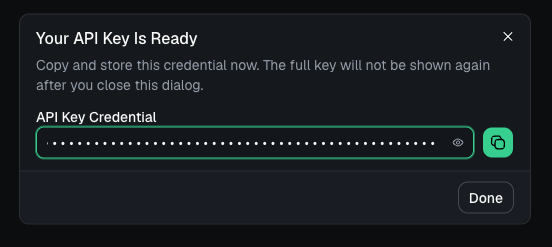
Treat the key like a password. Anyone with it can read your account data. You can revoke it from the same settings page at any time, and Tradervana only needs the read-only access level.
Connect
- In the sidebar, open Broker Sync.
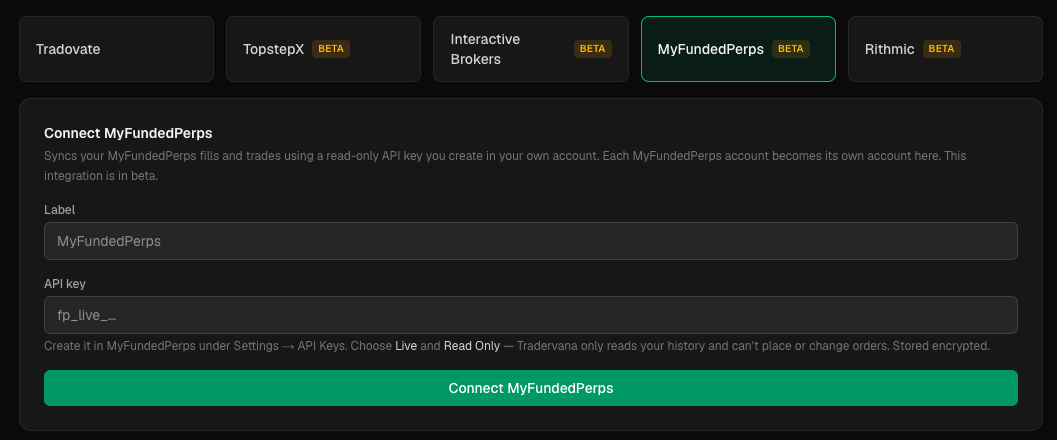
- Choose MyFundedPerps.
- Paste the key and, optionally, give the connection a label.
- Click Connect. The first sync starts right away.
What happens after you connect
Each MyFundedPerps account becomes its own account in Tradervana, and every fill is matched flat-to-flat into trades, the same way as our other integrations. Re-syncing is safe: matching trades are updated in place, never duplicated.
If something looks off
- "Rejected the API key." The key was copied incorrectly, has been revoked, or is a test (sandbox) key used where a live key is expected. Create a fresh read-only live key and paste it again.
- An account is missing. The key was limited to one account. Create a key with All Accounts access, or add a second connection.
- Funding. Trading fees and funding payments are both counted in a trade's fees, so the P&L matches what MyFundedPerps shows after costs.