

The Rithmic trading journal built for prop firm traders
R | Trader Pro executes your orders, and your firm's dashboard checks whether an account is still open. Neither gives you one prop-focused Rithmic trading journal across every evaluation and funded account you run. Tradervana auto-syncs your Rithmic accounts on Pro (beta) or imports R-Trader Pro CSVs free, then tracks drawdown room, consistency, eval costs vs. payouts, and daily trade reviews.
The journal is free to start and stays free. Pro adds Rithmic auto-sync (beta) and live rule tracking.
By UncTheTrader · Last reviewed: November 25, 2026
How our Rithmic trading journal works
- 1
Connect Rithmic on Pro (or import a CSV free). Open Broker Sync → Rithmic on the web or in the iOS or Android app, pick your firm from the live System list, and enter your Rithmic username and password. New logins must sign in to R | Trader Pro once first to accept agreements. After you connect, trades sync automatically, and you can press Sync now anytime. On Free, upload an R-Trader CSV under Add trades → Import a CSV. How to sync Rithmic → · How to import a CSV →
- 2
Attach each account's prop rules. Every Rithmic account under your login becomes its own account in Tradervana. Save your firm's profit target, drawdown type, daily loss limit, contract cap, and consistency percentage as a rule set.
- 3
Track limits and review every trade. Your dashboard shows breach room and consistency progress, while closed trades land in your Review inbox.
R | Trader Pro vs. a dedicated Rithmic trading journal
R | Trader Pro handles order routing and today's positions, not multi-account rule tracking, fee accounting, or structured review.
| Capability | R | Trader Pro | Tradervana |
|---|---|---|
| Live order routing & DOM | ✓ | — (read-only sync) |
| Flat-to-flat round-trip trades | Orders / fills view | ✓ matched automatically |
| Auto-sync without daily CSV exports | Manual CSV export | ✓ Pro (beta; 30 days immediate, full history in background) |
| Multiple Rithmic accounts in one view | — | ✓ every account on your login, with filter |
| Distance-to-breach & consistency room | Raw balance / threshold | ✓ per account, with alerts |
| Eval fees, resets & payouts ledger | — | ✓ Costs & payouts |
| Trade Review inbox, rules & score | — | ✓ Review inbox (Free) + rules & score (Pro) |
| Weekly and Monthly AI Debriefs | — | ✓ Pro |
What Tradervana syncs from Rithmic (and what to know first)
Rithmic sync is read-only, matches fills flat-to-flat into round-trip trades, and backfills your full closed-trade history without a 180-day cap.
- 30 days immediately, full history in the background: your last 30 days load right away, newest first. Older closed trades back to account open keep loading in the background (click Sync now to speed it up).
- Automatic sync, plus Sync now: after you connect, new trades come in on their own. Press Sync now on the connection card anytime to pull new trades immediately.
- One login, every account: each Rithmic account becomes its own Tradervana account, and you can stop syncing any account anytime.
- Read-only connections: Tradervana only reads your trade history. It never places or edits orders, and passwords are stored encrypted.
- Before-fees P&L, then add fees yourself: Rithmic doesn't send commissions or fees with fills, so synced Rithmic trades show P&L before fees. Open a trade's details and add fees and commissions there. Near a limit, your firm's dashboard or R | Trader Pro is the final word.
- Prerequisites: Rithmic's API needs a paid market-data subscription (not a demo trial; most prop accounts include one), first-time agreement acceptance in R | Trader Pro, and firm permission for Tradervana. See How to sync Rithmic with Tradervana.

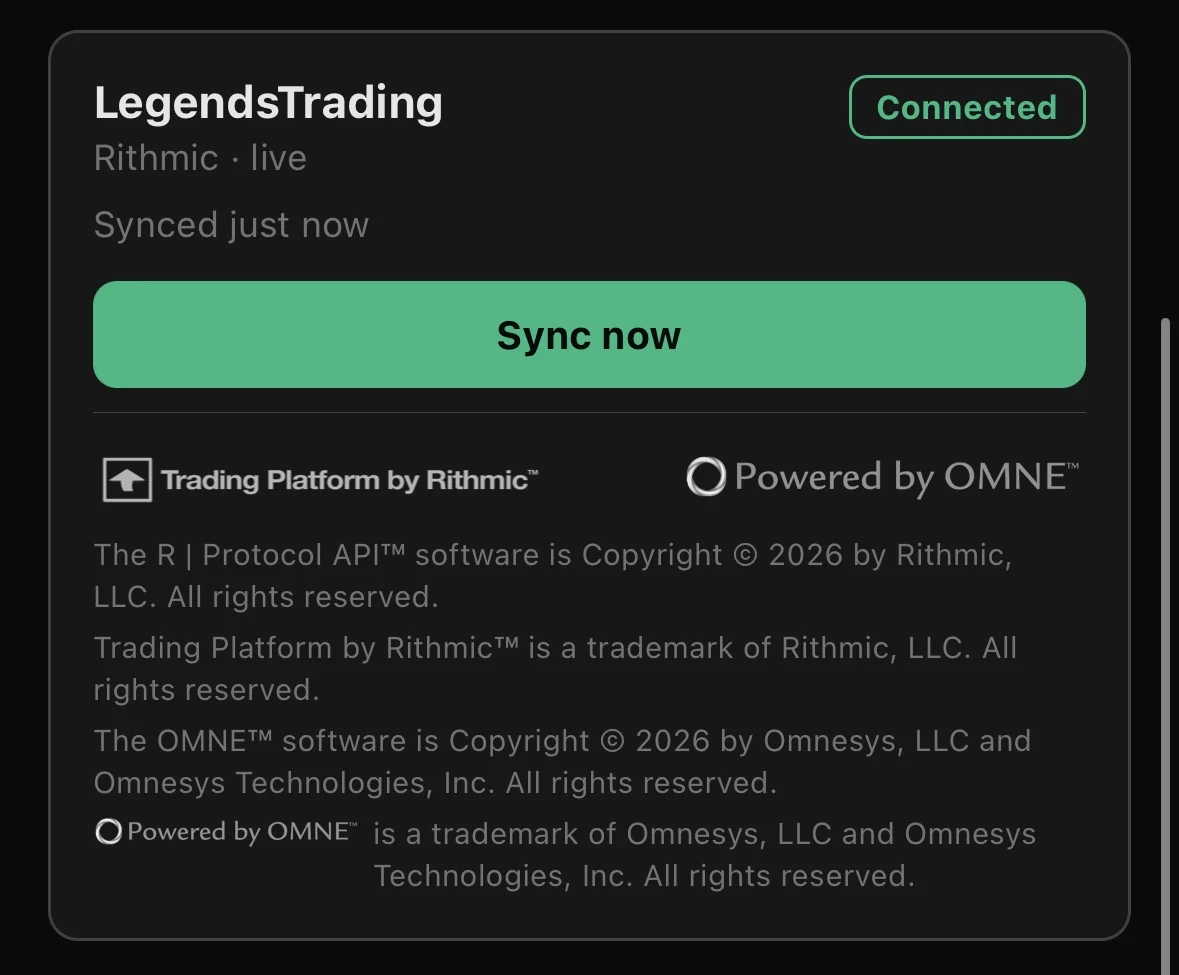
Trading Platform by Rithmic™ is a trademark of Rithmic, LLC. Powered by OMNE™ is a trademark of Omnesys, LLC and Omnesys Technologies, Inc. The copyright notices on the connection card must remain visible and unaltered. Tradervana is not affiliated with or endorsed by Rithmic or Omnesys.
What Tradervana tracks after your Rithmic trades land
Distance to breach and trailing drawdown room
Attach a rule set to see your estimated drawdown floor, daily loss room, and profit-target progress per account from closed trades. Test how trailing floors lock with our trailing drawdown calculator. Trailing drawdown calculator →
Consistency tracking and pass planning
Monitor your best trading day against your firm's consistency percentage and test multi-day targets in the pass-plan simulator before requesting a payout.
Real net profit: evals and resets vs. payouts
Log eval fees, resets, and activation fees alongside withdrawals to see true net P&L by firm. Prop firm payout tracker →
Review inbox, Review score, and Weekly and Monthly AI Debriefs
Closed trades from the last 14 days land in your Review inbox until you add a strategy, flag, note, or tag: clear the badge to zero, or review a whole day at once. Pro adds one measurable rule built from your trades, a daily review score, and Weekly and Monthly AI Debriefs inside the AI trading journal.
Prop firms that run on Rithmic
Any prop firm issuing Rithmic credentials listed in Rithmic's System dropdown connects through the same Rithmic flow on Pro (or R-Trader CSV on Free). Verified examples from each firm's own help center:
- Apex Trader Funding: Uses System APEX per the Apex Rithmic Account Setup guide. See Apex trading journal and Apex rules guide.
- Tradeify: Selecting Rithmic at checkout covers Tradesea, Quantower, Sierra Chart, and R | Trader per Tradeify Supported Platforms. See Tradeify rules.
- Lucid Trading: Lists Quantower, Tradesea, Sierra Chart, R | Trader Pro, and more under Rithmic in Lucid Trading Supported Platforms. See Lucid trading journal and Lucid rules.
- Take Profit Trader: Lists R | Trader, Quantower, Bookmap, ATAS, and Jigsaw on Rithmic in Choosing Your Platform. See Take Profit Trader rules.
- Earn2Trade: Runs evaluations on Rithmic via R | Trader Pro and compatible platforms per Earn2Trade Rithmic Evaluation Setup.
Trading multiple feeds? Tradervana auto-syncs Tradovate, Rithmic (beta), TopstepX, Interactive Brokers (beta) and Hyperprop (futures) and MyFundedPerps and Propr (perps). See our Tradovate trading journal for Tradovate logins.
Free vs. Pro for Rithmic traders
Free, forever
Unlimited manual history, uncapped R-Trader Pro CSV import, calendar and analytics, strategies, session reviews, the 14-day Review inbox, and manual eval/funded tracking. What Free includes →
Pro adds the automation
Rithmic auto-sync (beta), plus Tradovate, TopstepX, Interactive Brokers (beta) and Hyperprop (futures) and MyFundedPerps and Propr (perps) auto-sync, live rule tracking, breach/tilt/inactivity alerts, payout and cost ledger, pass-plan simulator, Review rules & score, mobile voice notes, and Weekly and Monthly AI Debriefs. Pro is $15/mo, or $120/yr, with a 7-day trial and no card needed. See pricing →
Frequently asked questions
Does Tradervana auto-sync with Rithmic?
Yes, on Pro (in beta on the web and in the iOS and Android apps). Open Broker Sync, choose Rithmic, pick your firm from the System list, and sign in with your Rithmic username and password. After you connect, new trades sync automatically, and you can press Sync now anytime. On the free plan, import an R-Trader Pro CSV instead.
Is Tradervana a Rithmic R | Trader Pro alternative for journaling?
R | Trader Pro routes orders; Tradervana journals your closed trades. It pairs fills flat-to-flat and adds prop rule sets, drawdown room, consistency warnings, eval costs vs. payouts, a Review inbox, and Weekly and Monthly AI Debriefs.
How much history does Rithmic auto-sync pull?
Your last 30 days load right away, newest first. Older closed trades back to when your account opened keep loading in the background, and Sync now speeds it up.
Does Rithmic sync include commissions and fees?
Rithmic doesn't send commissions or fees with fills, so synced Rithmic trades show P&L before fees. You can manually add fees and commissions in each trade's details. Near a firm limit, check your firm's dashboard or R | Trader Pro.
Do I need to accept Rithmic agreements before connecting?
Yes, on a new login. Sign in once to R | Trader Pro with the same credentials and System to accept Rithmic's agreements. Your login also needs a paid market-data subscription (most prop accounts include one) and firm permission for Tradervana.
Which prop firms work with Rithmic sync?
Any prop firm on Rithmic that appears in Rithmic's System list can connect with your firm-issued Rithmic login. Help centers documenting Rithmic include Apex Trader Funding, Tradeify (when chosen at checkout), Lucid Trading, Take Profit Trader, and Earn2Trade.
Is the Rithmic trading journal free, and is my login safe?
Yes. The manual journal is free forever with unlimited history and Rithmic CSV imports. Pro ($15/mo, or $120/yr) adds Rithmic auto-sync (beta), live rule tracking, Review rules & score, and Weekly and Monthly AI Debriefs, with a 7-day free trial and no card needed. Access is read-only and encrypted.
Track every Rithmic prop account in one journal
Know your drawdown room, clear your Review inbox, and see your real net after eval fees.
No card needed.
Comparing journals? Read best trading journal for prop firms, or visit How to sync Rithmic, the Tradovate trading journal, and the Apex trading journal.
Not financial advice. Futures trading involves substantial risk of loss. Rithmic and R | Trader Pro are trademarks of their respective owners. Tradervana is not affiliated with or endorsed by Rithmic or any prop firm named on this page.