

How to sync your Propr account with Tradervana
By Tyler Branstiter · Updated October 29, 2026 · 2 min read
Connecting Propr pulls your trade history into Tradervana and keeps new trades flowing in automatically — no CSV exports, no manual entry. It uses Propr's own developer API, so setup is a matter of creating a read-only key and pasting it in.
This integration is in beta. We're still verifying the sync against live accounts. If a symbol, fee or P&L looks off after your first sync, tell us and we'll get it dialed in quickly.
Before you start
- Broker sync is a Pro feature. On the free plan you can still import trades by hand; auto-sync needs Pro.
- You need a Propr account with at least one challenge account.
Create a read-only API key
- Sign in to Propr and click the account icon in the top right, then choose Settings.
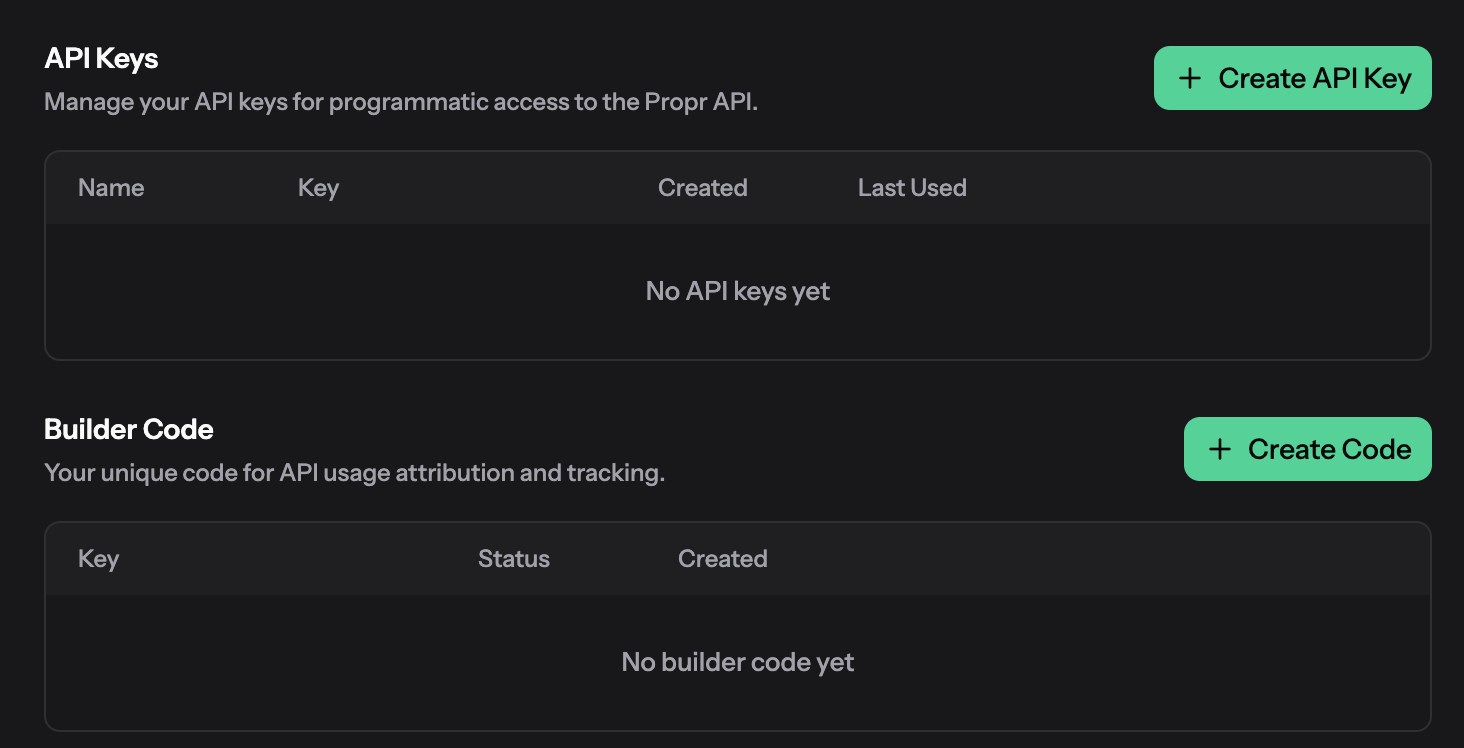
- Open the Developer tab and select Create API Key.
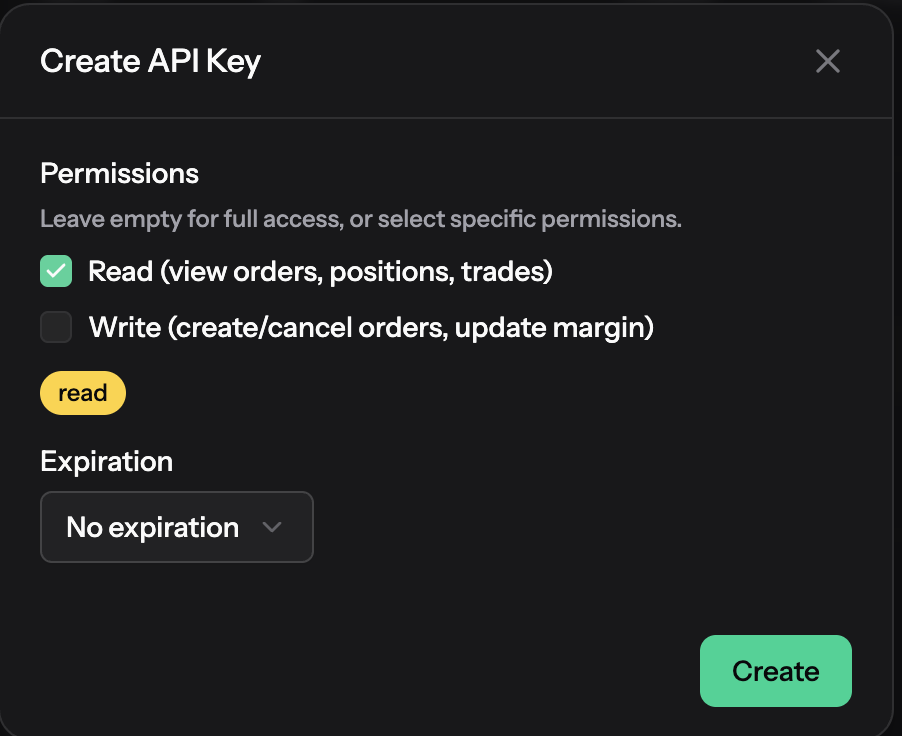
- Under Permissions, tick Read and leave Write unticked, then save. Read-only keys can view orders, positions and trades. They cannot trade, and that's all Tradervana needs.
- Leave Expiration on No expiration, so the connection keeps working without you having to reconnect.
Don't leave the permissions empty. Propr treats a key with no permissions ticked as having full access, including placing and cancelling orders. Tradervana only ever reads your data and never places or changes orders, but a read-only key means that stays true no matter what.
- Copy the key from the next screen. Propr only shows it once, so copy it before you close the dialog.
Treat the key like a password. Anyone with it can read your account data. You can revoke it from the same Developer page at any time, and Tradervana only needs the read-only permission.
Connect
- In the sidebar, open Broker Sync.
- Under Perps, choose Propr.
- Paste the key and, optionally, give the connection a label.
- Click Connect. The first sync starts right away.
What happens after you connect
Each Propr challenge account becomes its own account in Tradervana, and every trade is matched flat-to-flat into round trips, the same way as our other integrations. Failed and passed challenge accounts keep their history, so older attempts show up too. Re-syncing is safe: matching trades are updated in place, never duplicated.
Your P&L matches what Propr shows. Trading fees and funding payments are both
counted in a trade's costs, so net P&L lines up with Propr's own trades table.
Propr's markets show as perpetuals, for example BTC-PERP.
If something looks off
- "Rejected the API key." The key was copied incorrectly, has been revoked, or has expired. Create a fresh read-only key and paste it again.
- The connection shows an error after a while. If you chose an expiry when you created the key, it has run out. Create a new key with No expiration and reconnect.
- An account is missing. New challenge accounts appear on the next sync. If one still doesn't, tell us.